Field guide
How to Manage Your Animals and Earn Offline Cash
Open the My Animals menu to equip your highest-earning catches, sell duplicates to free up capacity, and keep your best team active to generate cash even while offline.
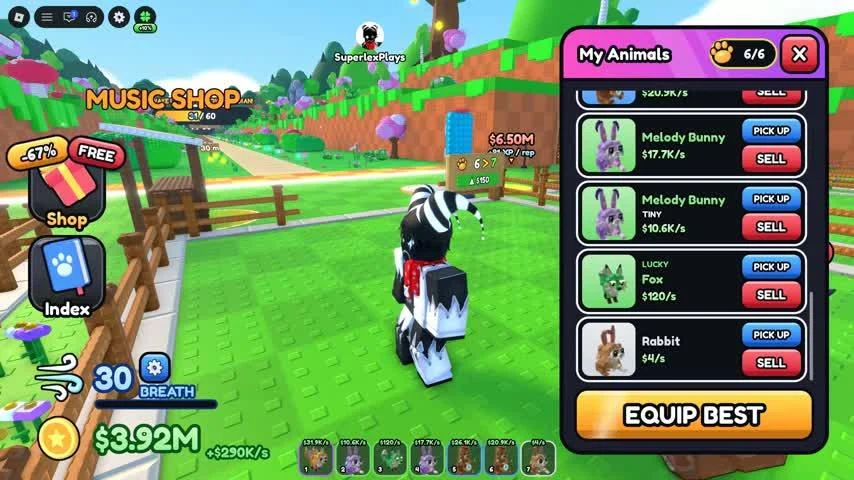
Equipping and Selling in My Animals
Every animal you wake up is stored in the My Animals menu, which tracks your total holding limit with a capacity counter.
- Press the EQUIP BEST button at the bottom of the My Animals window to automatically activate your top cash earners.
- Select individual animals and press the green equip button if you prefer to set your lineup manually.
- Click the red sell button on lower-earning animals to remove them and clear space before you hit your capacity limit.
How Active Animals Generate Offline Cash
Each equipped animal shows an earnings-per-second figure. Compare those figures when deciding which animals to put in your base.
Your equipped animals continue to earn cash even while you are offline. Always hit EQUIP BEST after waking up a new batch of animals so your highest possible income rate is active before you close the game.